Free HR Templates
HR Form Templates Free Word Downloads
HR teams often need simple, repeatable documents for collecting employee details, processing requests, tracking onboarding tasks, and recording reviews. This page brings those common HR form templates together in one place so you can download, edit, and reuse them when needed.
This is a growing HR forms library. We are starting with practical, editable Word templates such as an employee information form, employee leave request form, employment verification request form, new starter checklist, and performance review form.
What you’ll find on this page
These free HR forms are designed to help with common employee documentation tasks. Each template is provided in Word format and can be customised for your organisation.
- Editable HR form templates in Word format
- Employee leave request form for recording leave dates and manager approval
- Employment verification request form for handling proof-of-employment requests
- New starter checklist for onboarding paperwork and first-week tasks
- Performance review form for employee reviews, goals, ratings, and comments
- A reusable document workflow for replacing repeated manual editing
Download Free HR Form Templates
You can download each HR form individually from the template library below. This page is intended to act as a central collection of human resources documents and HR templates that can grow over time as more useful forms are added.
The current set includes five templates for common HR tasks. Choose the form you need, customise it in Word, or use the placeholders with TextReplacer to generate completed documents faster.
Current HR form templates included:
- Employee Information Form - collect employee contact details, employment details, and emergency contact information.
- Employee Leave Request Form - record leave type, start date, end date, total days, reason for leave, and manager approval.
- Employment Verification Request Form - capture requested employment information, employee consent, and HR completion notes.
- New Starter Checklist - track onboarding paperwork, equipment, system access, first-day tasks, and first-week actions.
- Performance Review Form - document responsibilities, performance summary, strengths, improvement areas, goals, ratings, and comments.
HR Form Templates
Choose from the forms below depending on your HR task. Each template is editable in Word and can be customised with your own details.
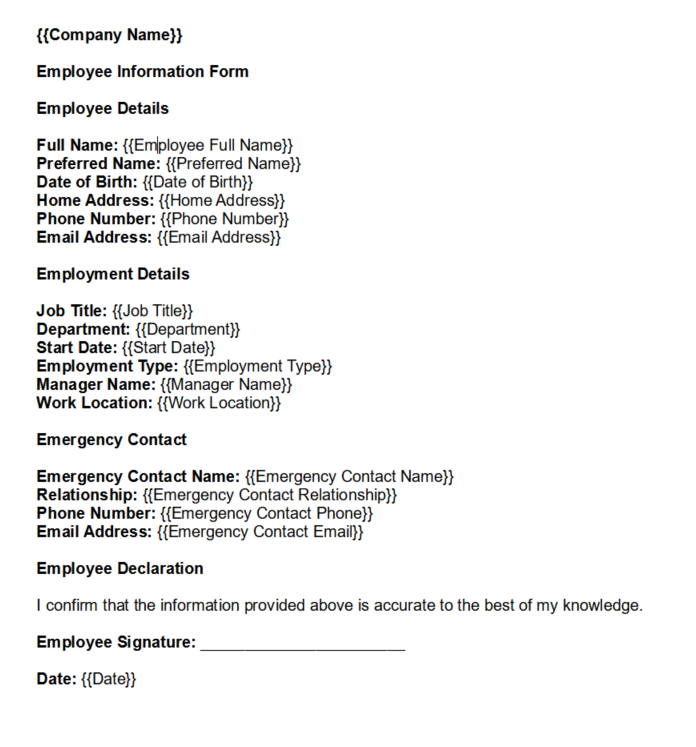
Employee Information Form
A standard HR form for collecting personal and job-related details, such as employee name, address, contact information and employment role. Ideal for creating personnel files.
Download Template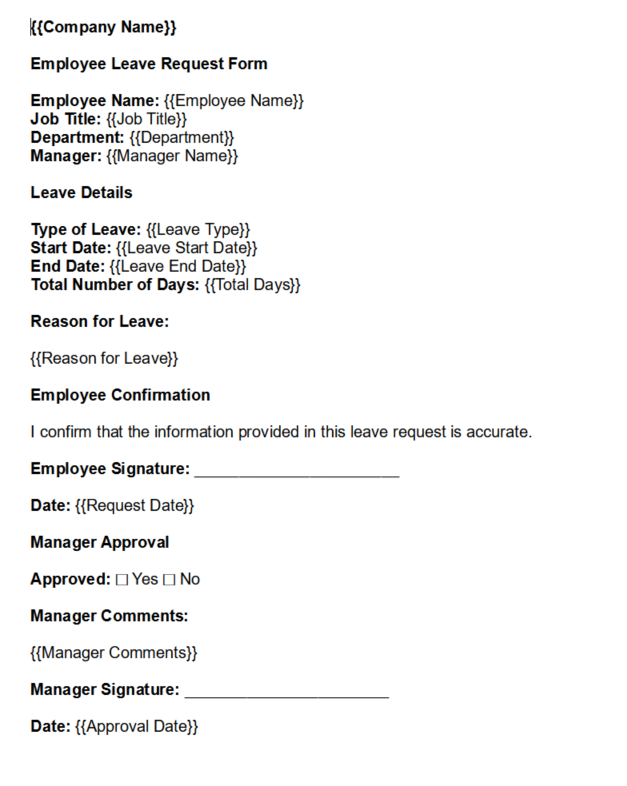
Employee Leave Request Form
A straightforward form for requesting vacation or personal leave. Includes fields for employee details, dates, reason for leave, and approval section for managers.
Download Template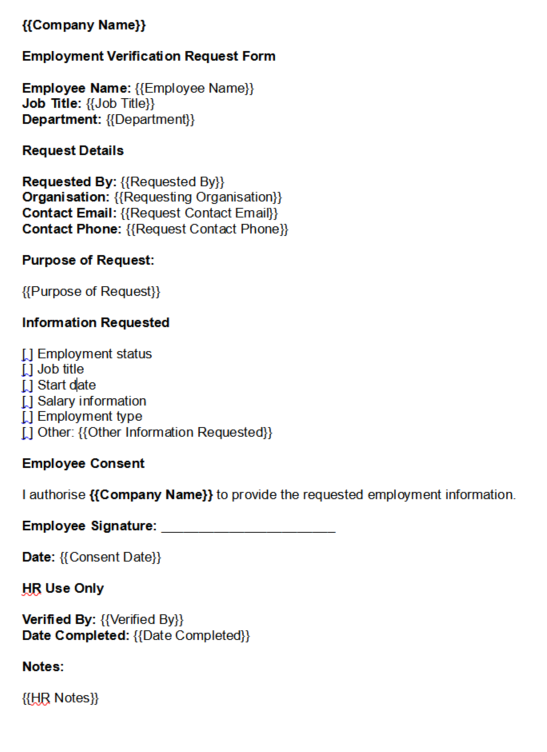
Employment Verification Request Form
A form for employees to request a letter confirming their employment status. Includes personal details, employer information, and the reason for the verification.
Download Template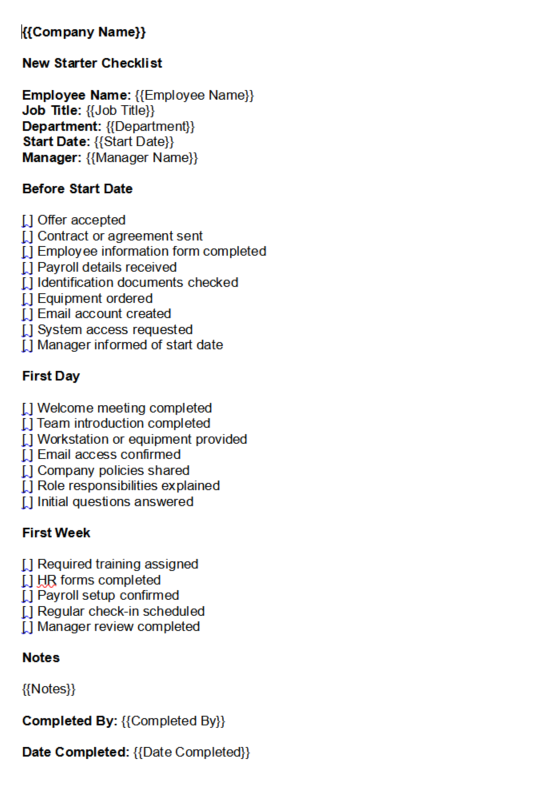
New Starter Checklist
A checklist for onboarding new employees. Helps HR and managers keep track of paperwork, equipment, training and other tasks during the first days of employment.
Download Template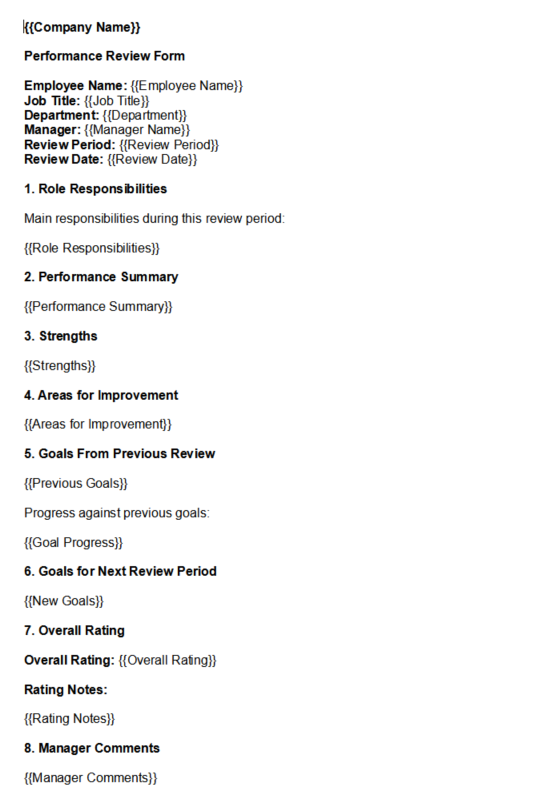
Performance Review Form
A structured form for evaluating employees’ performance. Includes sections for goals, competencies, ratings, achievements and feedback notes.
Download TemplateA Faster Way to Reuse These HR Forms
If you find yourself manually editing these forms for each employee or request, there’s a better way. By keeping placeholders such as {{Employee Name}} and {{Start Date}}, you can quickly generate fully completed forms without repetitive copy‑pasting.
New to using placeholders in Word forms? Read our guide on how to automate Word templates to see how reusable HR forms work.
Turn HR Forms into Reusable Templates
With TextReplacer, you can:
- Upload your HR form once
- Use placeholders to capture variable fields
- Enter new values and generate final documents instantly
Common Mistakes to Avoid
- Leaving out important fields such as employee name, dates, department, manager name, or approval details
- Using outdated forms that no longer match your internal process or company policies
- Reusing old forms without removing previous employee details
- Not standardising HR form formats across departments or locations
- Forgetting approval sections, signatures, or completion dates where they are needed
- Storing completed HR forms without appropriate access controls
Related Templates
Related Guides
FAQs
What are HR forms?
HR forms are documents used by human resources to collect, verify and process employee information. They include employee data forms, leave request forms, performance review forms and other essential paperwork required during employment.
Why are HR forms important?
HR forms standardise the way information is collected and ensure compliance with company policies and legal requirements. They help create a consistent process for onboarding, performance management and employee requests.
Can I edit these forms in Word?
Yes. Each template is provided as an editable Word document (.docx), so you can adjust sections, add or remove fields, and customise the design to fit your branding.
How can I reuse these forms more efficiently?
You can turn any HR form into a reusable template by keeping placeholders like {{Employee Name}} and {{Manager Name}}. Tools such as TextReplacer let you fill in values once and generate completed documents in seconds.
Final Thoughts
Having reliable HR forms at your disposal helps you manage employee information and requests efficiently. These downloadable templates provide a solid starting point for your HR processes.
Use them as they are, customise them for your company or turn them into reusable templates to save time and reduce errors.